UTOPIC APPS: a guide to Reframe, Tutorialize and Analizer
Three free tools for dancers, teachers and choreographers: your part of the video in vertical, learning a routine with mirror, counts and loop, and correcting rehearsals with notes and drawings. What each one does, who it's for and how to use it.

We'd been filming classes, rehearsals and showcases for a long time and kept running into the same problems: the horizontal group video that doesn't work for Reels, the routine you forget by the time you get home, the corrections lost in a WhatsApp voice note. That's how the UTOPIC APPS were born: three tools made by dancers for dancers.
In this guide we explain what each one does, who it's for and how to get the most out of it, step by step.
Before you start
- They're free with your UTOPIC account (the same one as for camp and SUPPLY): 4 videos a month in each app.
- Your video never leaves your device. Everything is processed in the browser: nothing is uploaded to a server.
- They work on phone and computer, in an up-to-date Chrome, Edge or Safari. From utopicdance.com/en/apps you can install them on your home screen like any other app.
- Use videos of your own, of your classes, or of people who've given you permission.
Reframe: your part of the video, in vertical
Upload a horizontal video (the class, the showcase, a battle round), mark one person and Reframe gives you back a vertical video that follows them the whole time, as if someone had filmed just for them. No editing, no black bars, and the frame never goes outside the original video.
Who it's for
- Dancers who appear in the group video and want their part for Reels, TikTok or Stories.
- Teachers and schools who want to give every student their own video: one vertical per person from the same recording.
- Events and battles: each dancer's round, centred and ready to post.
How to use it
- Open the video: horizontal MP4 or MOV, ideally under 3 minutes.
- Pick the person: pause where you can see them in full and draw a box over them. If you don't mark anyone, we follow whoever takes up the most space.
- Check the tracking: a green box shows who the camera follows. If at some point it jumps to someone else, draw a box over the right person there and it's fixed instantly.
- Framing and camera: zoom (so the person looks bigger), position in the frame and camera smoothness, from 1 (agile) to 5 (very smooth).
- Process and download: you get a 1080 × 1920 MP4 with the original sound.


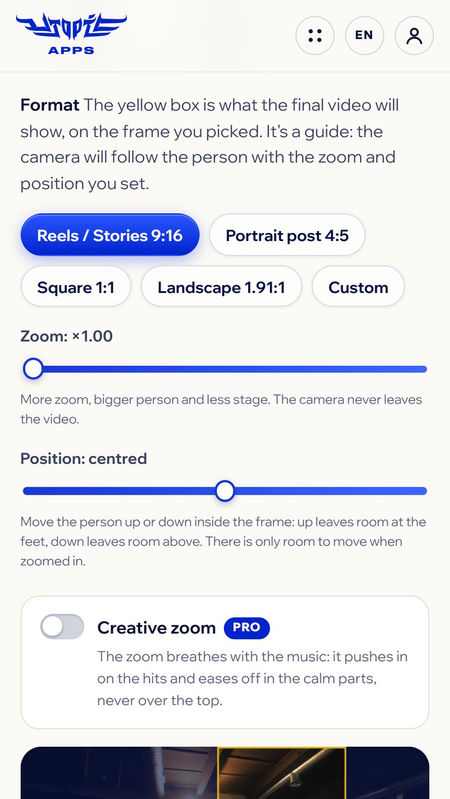
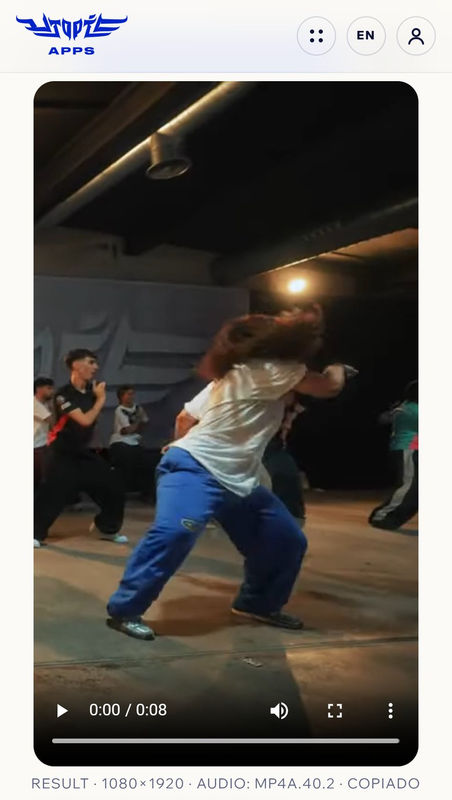
Tip: the easier the person is to tell apart (good light, clothes different from everyone else's), the better it follows them. If they look small, raise the zoom in step 3.
Tutorialize: learn any routine
Turn any choreo video into a tutorial: mirror, slow speed without changing the pitch of the music, the 8-count on top of the video and a loop of the part you're struggling with. And once you've got it, export it as a video to practise or share.
Who it's for
- Students who film the routine at the end of class and want to go over it at home without getting lost.
- Teachers who send the routine to their group ready to learn: slowed down, mirrored and with the counts.
- Groups and companies drilling one specific section over and over.
How to use it
- Open the choreo video (with music).
- Tap the tempo: press play and tap the big button along with the music, ideally 8 times. Your first tap is the “1”. If it's slightly off, fine-tune it with − and + one BPM at a time.
- Practise: speed from ×0.25 to ×1, mirror and counts (1·2·3, with “and” or with e·&·a). To loop, tap the count where it starts on the strip, then where it ends.
- Get closer: pinch the video (or use + and −) to zoom in on the feet or the arms.
- Export the video with the loop, speed, mirror and counts already applied.
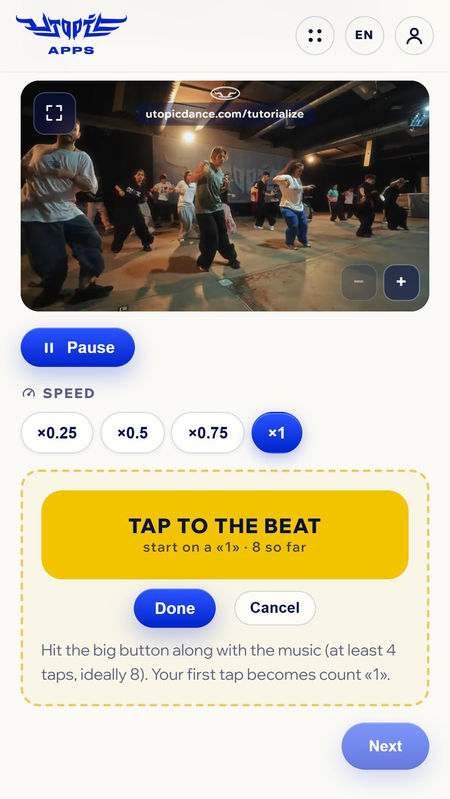
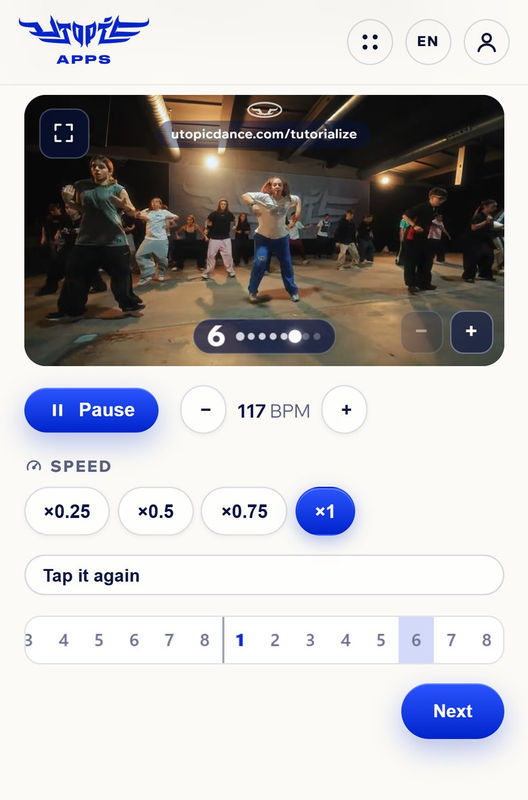
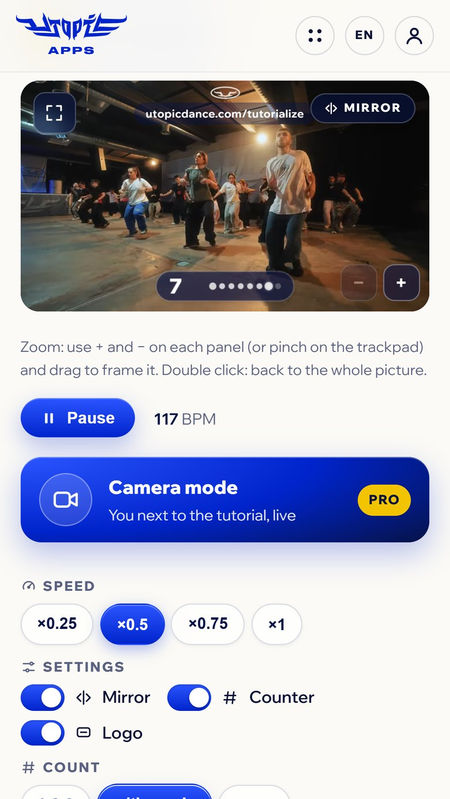
Camera mode (Pro): your camera shows up next to the tutorial, mirrored, so you can watch yourself dancing alongside the teacher live. Nothing is recorded or sent: only you see it.
Tip: start at ×0.5 with mirror on, loop one 8 at a time and move up to ×0.75 and ×1 once you've got it.
Analizer: give notes like a choreographer
For analysing rehearsals, classes and performances. Pause at the exact moment, add a marker (correction, mistake or highlight), draw on top with a circle, a box or freehand and write a short note. At the end you export a video that stops at every marker with the drawing and the note.
Who it's for
- Teachers and choreographers correcting the group's rehearsal and sending all the notes in a single video.
- Dancers reviewing their performance or battle calmly, frame by frame.
- Companies and crews getting ready for a competition.
How to use it
- Open the video of the rehearsal or performance (MP4, MOV or WebM).
- Pause where you want to give a note. “5f” moves five frames back or forward, and you can slow it down without changing the pitch.
- Pick the type: correction, mistake or highlight (what went well deserves a mention too).
- Draw and write: a circle on the arm, a note like “Arms higher on 5”.
- Export the video: each marker freezes the image for 2.5 s with its drawing and note.
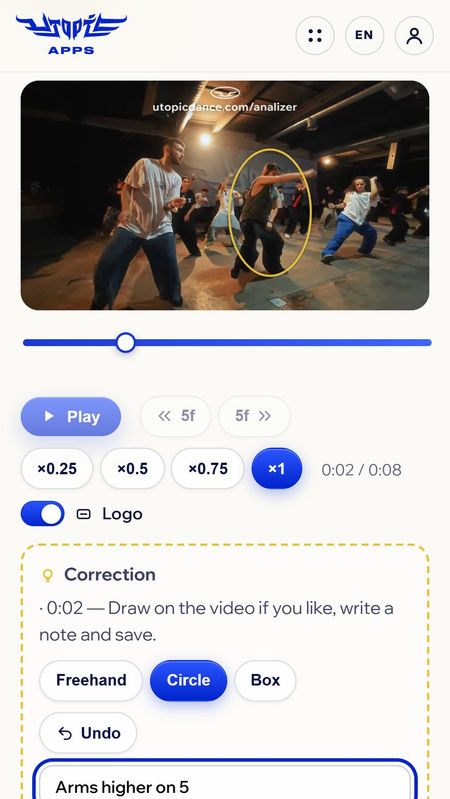
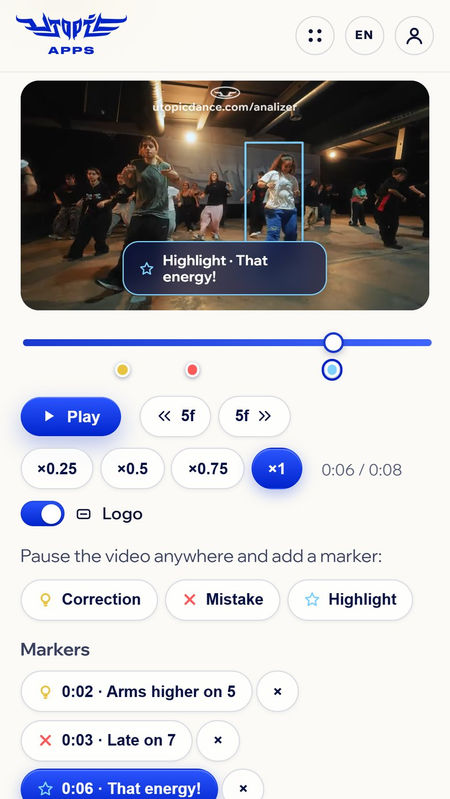
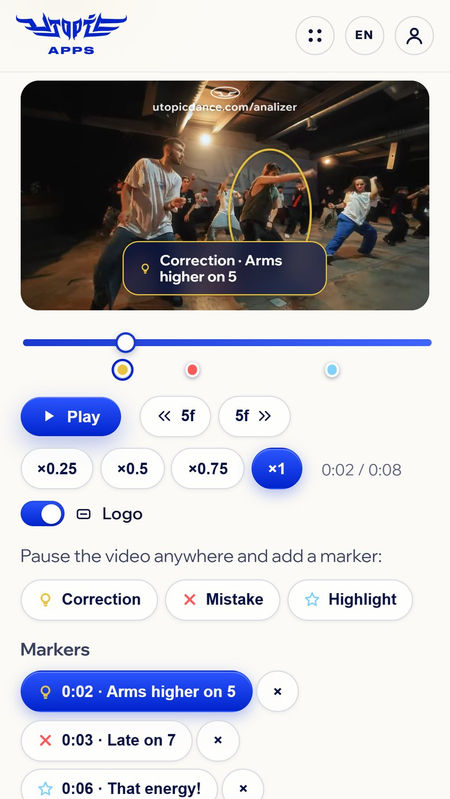
Tip: one idea per marker and short notes. And don't forget to highlight what's working: it motivates more than ten corrections.
Free or Pro
On the Free plan you get 4 videos a month in each app, in 720p and with the UTOPIC logo. With Pro there are no limits: 1080p, no logo, every Reframe format (4:5, 1:1, landscape and custom), motion blur and creative zoom, Tutorialize's camera mode and e·&·a counts, and unlimited markers in Analizer.
- With the code UTOPICAPPSPROMO your first month of Pro is free (monthly plan).
- If you're UTOPIC FAM, Pro is included.
What tool are we missing?
The apps grow with what you ask for. If there's something that would help you dance, rehearse or teach better, tell us on @utopicdancecamp or drop us a line.