Free
With your free account
- 3 shows of up to 20 dancers
- Focus and colour per dancer and formation
- Formations with beats and transitions
- Paths and offstage area
- Counted Play or with your My Base beats
- PDF for rehearsal
UTOPIC APPS · Formations
Place your people on stage, build formations like slides and watch them move, counted in beats. Free, in your browser.
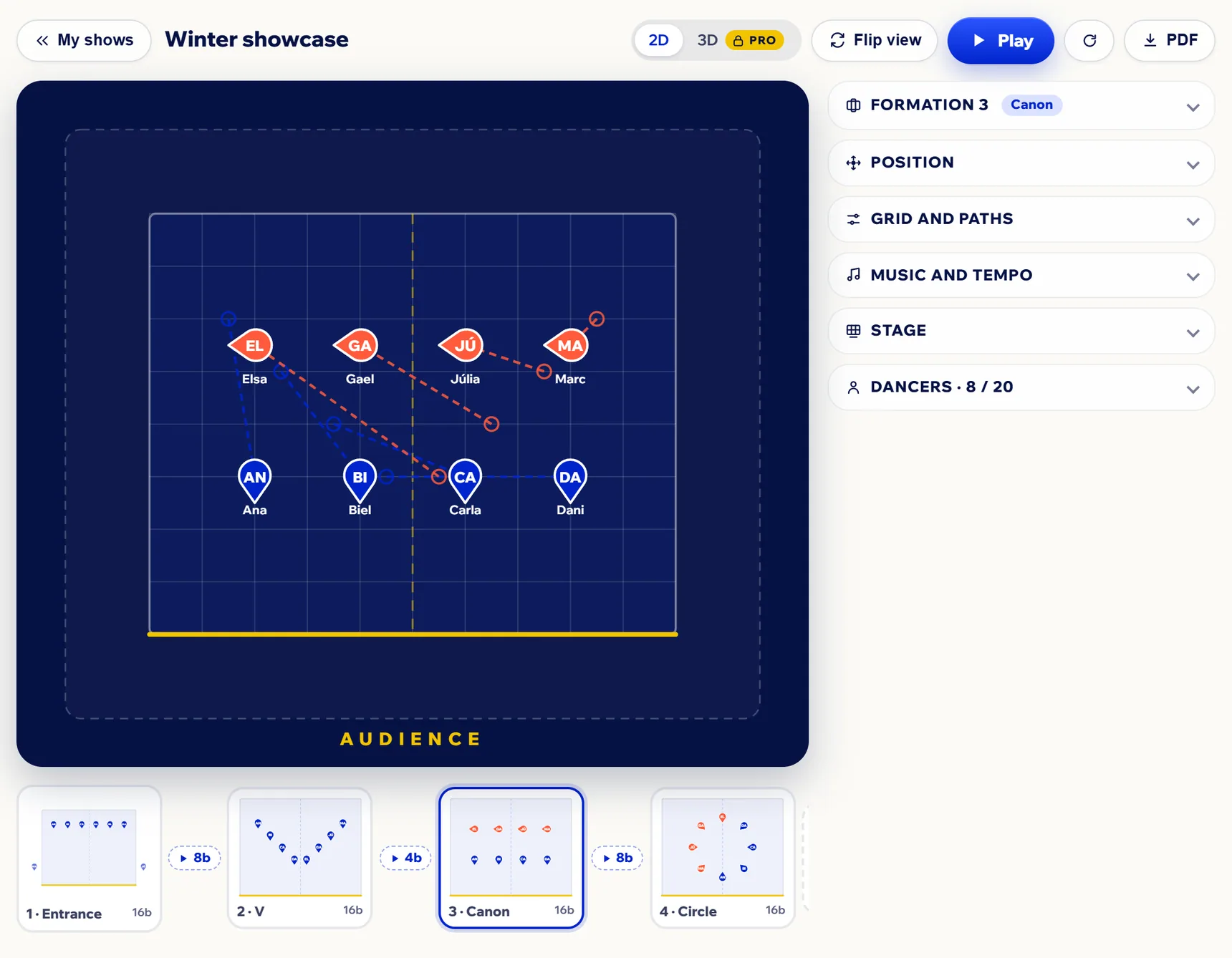
Formations puts it all on one screen: the grid stage, your dancers by name and each formation with its beats and its transition. Hit Play and see who goes where, counted in eights.
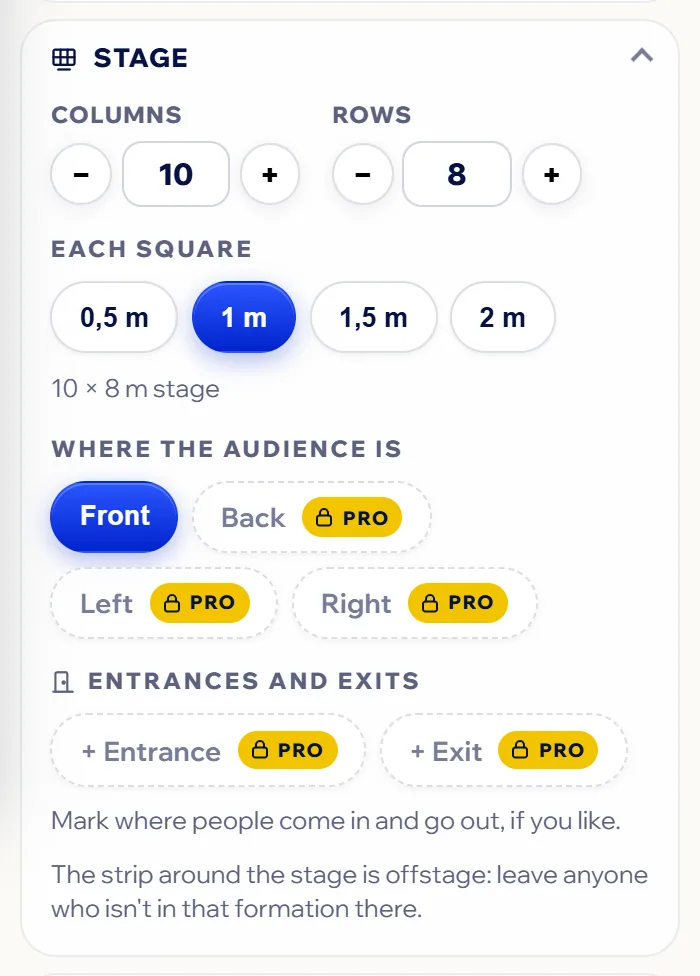
Name it, paste your list of dancers and set up the stage: columns, rows and how big each square is.
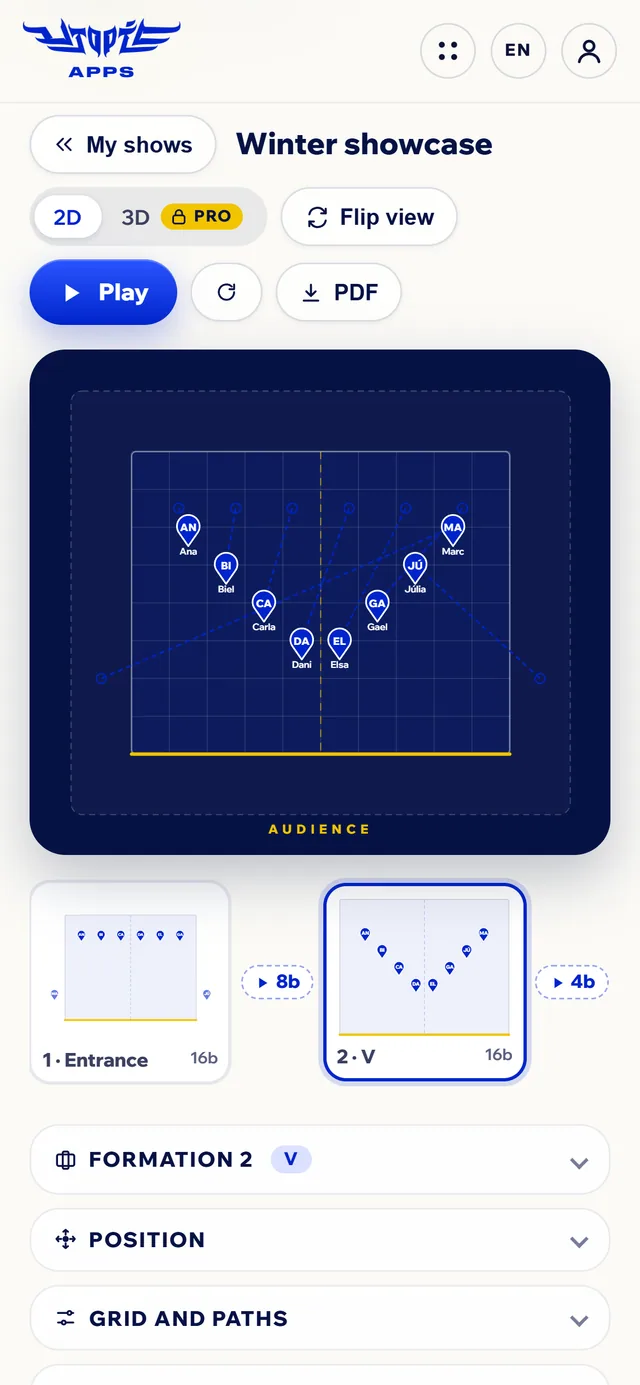
Move each dancer, or several at once, and add formations like slides, each with its beats and its transition.
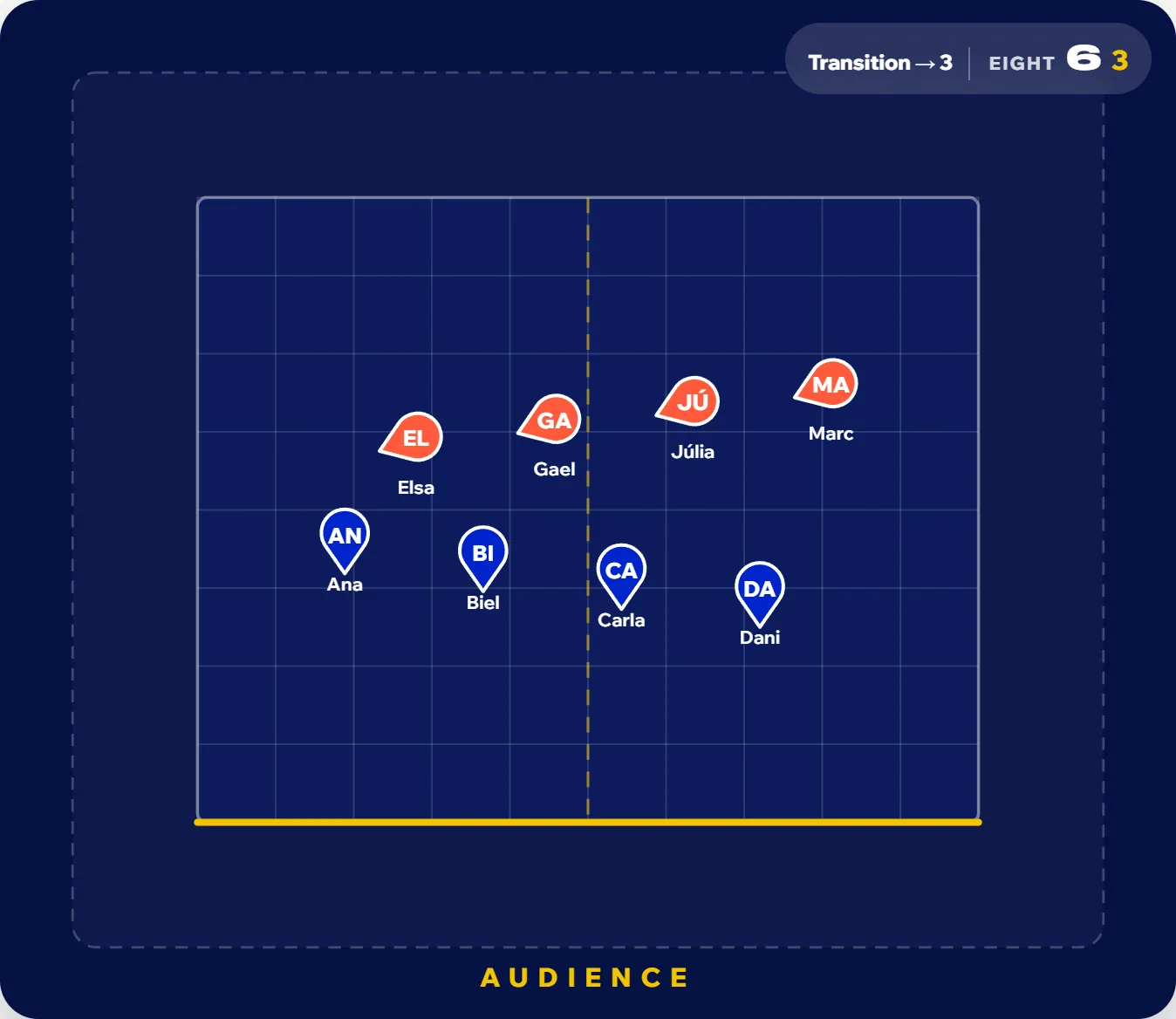
Watch it animated and counted with a My Base beat, and share the PDF with the group for rehearsal.
A starting point to try out on stage. Two rules that almost always work: nobody gets hidden (with two lines, the back line stands in the gaps of the front one, “windows”) and every change can be done within the transition’s beats.
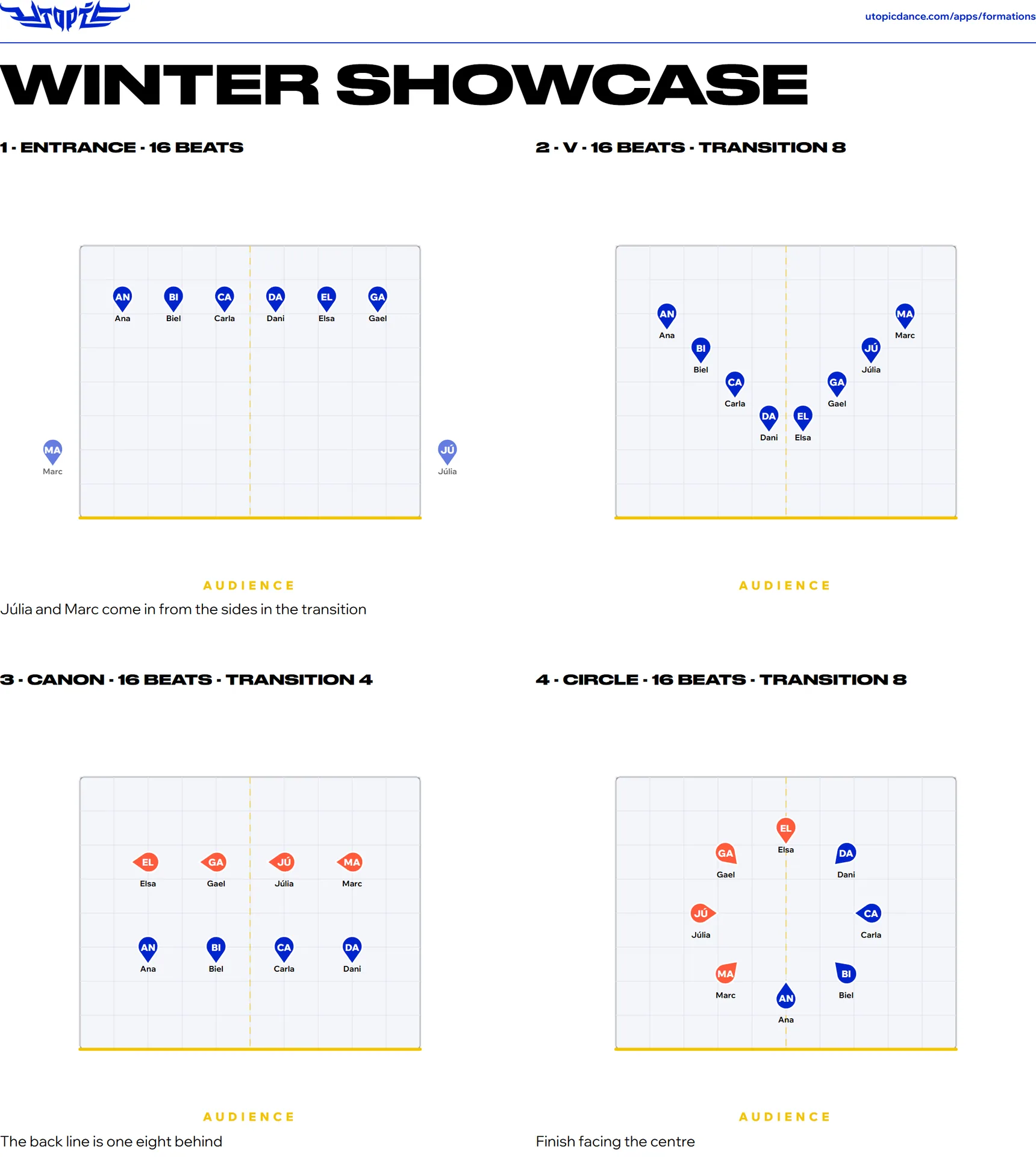
With Pro, the shapes (line, two lines, V, inverted V, diagonal, circle, semicircle, block and wedge) place the selected dancers in one tap. On Free, snap to grid helps you place them by hand.
With your free account
No limits
The first time, you can try Formations without signing up. To save your shows and get the PDF, create your free account: when you do, you can try Pro free for 14 days.
See the plansWith Formations, in your browser: create the show, paste your list of dancers and set up the stage (columns, rows and how big each square is). Place everyone, add the next formation like a slide and give it its beats and its transition. Hit Play to watch the group move, counted in eights.
It depends on the routine, but some classics work: with 6, two lines of 3 in windows or a 1-2-3 triangle; with 7, a 1-2-4 arrow or a V; with 10, a 1-2-3-4 pyramid or two lines of 5 in windows. You’ll find ideas for 5 to 12 above, and in Formations you can try them on stage before rehearsal.
You decide, in beats: each formation lasts 1 to 256 and the transition, the time people take to get there from the previous one, 0 to 64. If you count in eights, 16 beats are two eights. The tempo goes from 50 to 200 BPM.
Yes. With Play, Formations animates each transition and counts it: at the top you see the formation, the eight and the count. Paths show where each dancer comes from and where they go, so you spot in time who crosses whom.
Yes: one of the beats you’ve saved in My Base, which plays in full at the show’s tempo. With Pro, also your own song: upload it and tap the tempo 8 times along with it. Without music, Play is counted in silence.
Yes: with Focus, a rose of 8 arrows, you choose which way each dancer faces (right and left are the dancer’s own). And with colour you mark canons, groups or who does what, in one formation or in all of them at once.
Leave them in the offstage area, the strip around the stage: in the transition they walk on or off from there. With Pro, you can also mark the stage’s entrances and exits where they are.
With the PDF: one page per formation with its name, the beats, the transition, the stage with everyone’s name and the note for the group. Save it from the print dialog and send it or print it for rehearsal. You need your free account to get it.
Yes: Flip view turns the stage 180° so you see it the way the dancers do, with the audience at the top. Handy for explaining it to the group face to face. With Pro, you can also put the audience at the front, at the back or on either side.
Yes. Your free account gives you 3 shows of up to 20 dancers, with focus, colours, paths, Play with your My Base beats and the PDF. Pro has no limit on shows or dancers and adds one-tap shapes, entrances and exits, your own song and the 3D view. The first time, you can try it without signing up.
It works in your phone or computer browser, with nothing to install. Your shows are saved to your account, so you have them on any device.
Try it with your group. The first time, no sign-up needed; to save your shows and get the PDF, create your free account.
5, 6, 7, 8… cookies! We use ours and third-party ones to keep the site on beat and, if you accept, to measure and improve our advertising. More info